
Video tutorials
Every Metanoz Studio tool in a short video: from editing text to the background remover, Magic resize, 3D mockups, download and share.
-
 Meet Metanoz Studio
Getting started
-
 Create a free account & sign in
Getting started
-
 Design without an account, save later
Getting started
-
 Start a design from a template
Getting started
-
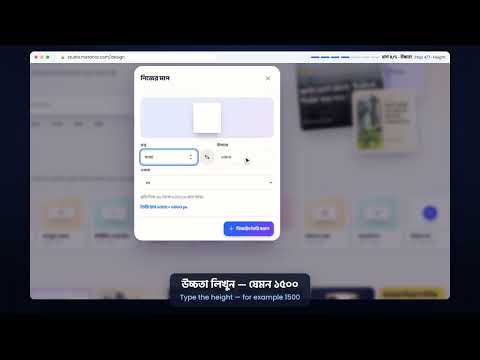 Custom size & blank design
Getting started
-
 Metanoz Studio Editor Tour
Getting started
-
 A professional Facebook post — start to finish
Getting started
-
 How to Edit Text: Font, Size, Colour and Bangla Typing
Text & photos
-
 Text Styles and Effects: Shadow, Outline, Neon, Sticker
Text & photos
-
 Add Text: Heading, Subheading and Body
Text & photos
-
 Replace, Crop, Flip and Filter Photos
Text & photos
-
 Upload Your Own Photo
Text & photos
-
 Find Free Stock Photos
Text & photos
-
 Elements: Shapes, Lines, Icons and Stickers
Text & photos
-
 Colours, Gradients and Brand Colours
Layout & style
-
 Layers Panel: Select, Hide, Lock and Group
Layout & style
-
 Arrange and Align: Position Things Perfectly
Layout & style
-
 Change the Design Background
Layout & style
-
 Effects: Opacity, Shadow, Blur and Round Corners
Layout & style
-
 The Tools Menu Explained
Layout & style
-
 Pages: Add the Same Design in Another Size
Layout & style
-
 Keyboard Shortcuts to Work Faster
Layout & style
-
 Pro Tools 1: Smart Guides, Ruler and Grid
AI & smart tools
-
 Pro Tools 2: Auto Layout, Components, Pen and Paint
AI & smart tools
-
 Create a design with AI
AI & smart tools
-
 Background remover
AI & smart tools
-
 Magic resize — one design, every size
AI & smart tools
-
 3D mockups — see your design on a mug, T-shirt or box
AI & smart tools
-
 Brand kit — logo, colours and fonts
AI & smart tools
-
 Every download format explained
Download & share
-
 Share your design as a web page
Download & share
-
 My projects — save, rename, duplicate, folders, delete
Projects & account
-
 Account page — language, data, security
Projects & account
-
 Metanoz Studio Editor on Your Phone
Studio on phone
-
 Metanoz Studio on your phone
Studio on phone